
Solitaire - Classic Card Game
BluetileCard
4.711.26K Reviews
- Version
- 3.2.0
- Installs
- 10.00M
- Age Rating
- Everyone
Screenshots
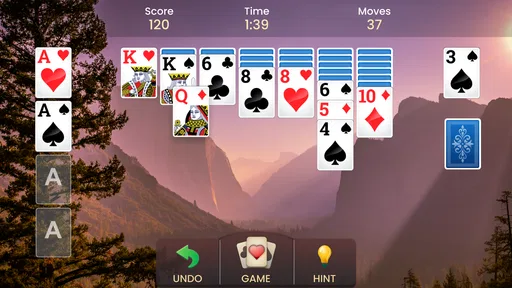
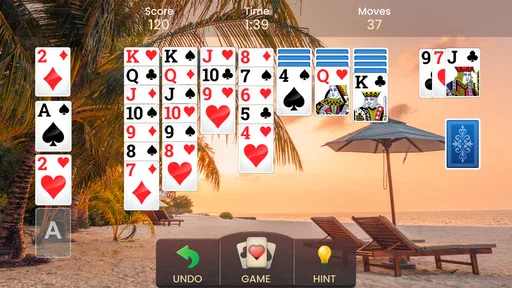
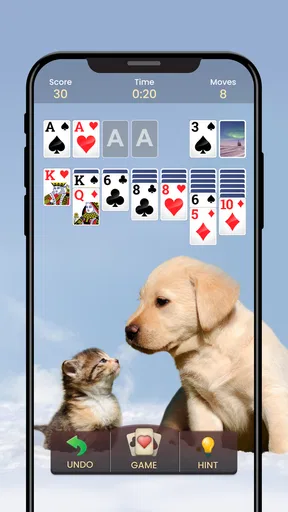
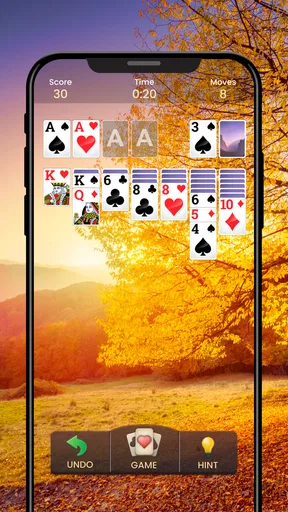
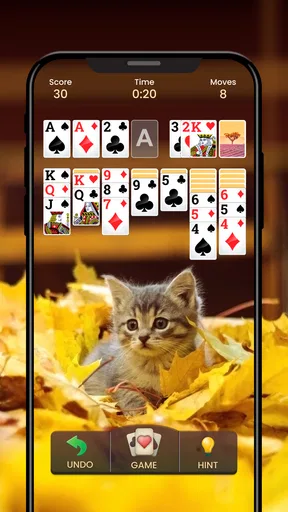
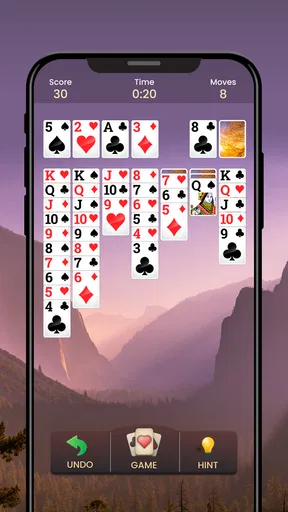
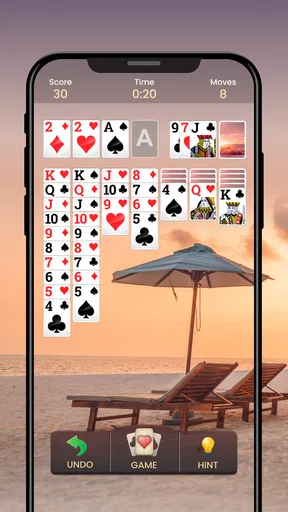
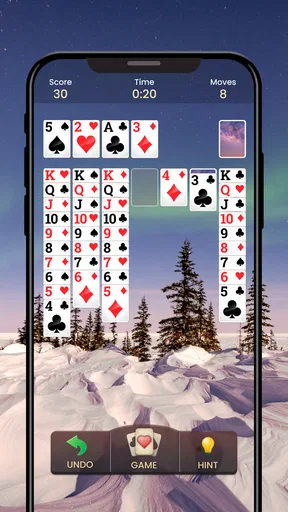
Our Review of Solitaire - Classic Card Game
 Analysis by Appyee
Ah, Solitaire - Classic Card Game. Do you remember those lazy afternoons spent playing this timeless game on a clunky PC? Well, it’s back and better than ever on your smartphone. I recently took a dive into this app, and let me tell you, it’s like a cozy trip down memory lane, but with a sleek, modern twist.
First Impressions and Features
When you first fire up Solitaire - Classic Card Game, you’re greeted with a clean, intuitive interface that stays true to its classic roots while offering a range of customizable options. You can switch between different card fronts and back designs, which adds a nice personal touch. Plus, for those of us who are sticklers for detail, the app offers both portrait and landscape modes. It’s like having a mini card table in your pocket.
The game offers several variations of solitaire, including Klondike, Spider, and FreeCell. Each variant is well-executed, providing smooth gameplay without any lag. The controls are straightforward – just tap and drag – making it easy for anyone to pick up and play.
Gameplay and User Experience
Diving into the gameplay, you’ll find the classic solitaire rules are perfectly intact. It’s just as challenging and satisfying as you remember. The app throws in daily challenges and winning streaks to keep things interesting. It’s a great way to test your skills and see how you stack up against friends and other players globally.
One feature that caught my eye is the hint button. It’s a lifesaver if you’re stuck, offering gentle nudges in the right direction without holding your hand too much. And let’s not forget the undo option – a true blessing for those "Oops!" moments.
Visuals and Sound
The graphics are crisp and vibrant, making the cards easy to read and the game highly enjoyable. You’ll appreciate the attention to detail in the animations, like the satisfying shuffle and the way cards snap into place. The sound design is subtle but effective, with soft shuffling sounds and satisfying clicks that enhance the experience.
Why You’ll Love It
If you’re a fan of classic card games, this app is a must-have. It’s perfect for a quick game while waiting for a friend or winding down before bed. The nostalgia factor is off the charts, but it’s the modern enhancements that truly make it shine.
So, whether you’re a seasoned solitaire pro or just looking to kill some time, Solitaire - Classic Card Game is a fantastic choice. It brings the classic vibes with a fresh twist, making it a delightful addition to your app collection. Go ahead, give it a try, and see if you can beat your high score!
Readability That Suits Short Sessions
For me, the most useful thing about a solitaire screen is whether I can quickly tell which cards are available without having to study the whole layout. Here, the cards are crisp and easy to read, and changing their fronts and backs gives you a small way to make the table feel more comfortable. That matters when you return to a half-finished thought after a distraction: the familiar layout helps me work out what I was planning without learning a complicated interface first.
The simple tap-and-drag approach also makes the basic routine approachable. If you are new to solitaire, you can focus on the card logic rather than menus and controls. If you already know the game, you can move directly into play. I would still take a moment to try both tapping and dragging, since a quick tap can be more comfortable than a long drag on a small screen, while dragging may feel more deliberate when several piles are close together.
Motor and Sensory Comfort
Portrait and landscape options are a practical choice rather than just decoration. I find portrait convenient for holding a phone in one hand during a brief break, while landscape can give the card layout more room when I am settled at a table or using a larger screen. Switching orientation is also worth trying if your fingers tend to cover the cards you are deciding between.
Tap-and-drag controls are familiar, but they still depend on being able to make accurate touches. If your hands are tired or you have limited dexterity, a long session may become less comfortable than the easy first few moves suggest. I would play a short round before settling in for a longer one, and use undo when a touch lands on the wrong card rather than treating every mistake as a failure. The hint button can help when the difficulty is deciding what to do, though it does not remove the physical effort of moving cards.
The soft card sounds and clicks add a little feedback, but they may not suit every setting or preference. In a quiet waiting room or beside someone who is resting, I would lower or mute the phone’s sound using its usual controls if needed. The visuals do much of the work, so sound is not essential to following the card play. I also appreciate that the game does not need a loud, busy presentation to make each move feel clear.
When It Fits into the Day
This is strongest as a small, self-contained activity. I can imagine opening it while waiting for an appointment, playing a few moves on a commute when seated, or taking a short screen break between household tasks. The familiar rules make it easy to stop and return without having to remember a story or a long sequence of instructions. For bedtime, I would keep the session brief and avoid turning a relaxing game into a reason to stay on the phone longer than planned.
A useful habit is to treat a daily challenge as a prompt rather than an obligation. If you have only a minute, a regular round may be easier to fit in than chasing a streak or trying to finish a particular challenge. Conversely, if you enjoy tracking improvement, a challenge can give a session a clear purpose beyond simply passing time. The right choice depends on whether you want a calm puzzle or a goal that encourages you to keep playing.
Solitaire also works well when you want a game that does not demand a conversation or a fast reaction. I would choose it over a live multiplayer card game when I need to pause at any moment, and over a more elaborate puzzle game when I do not want to learn new rules. It is less suitable when I want a social activity, a strong narrative, or a game that keeps changing its mechanics. The pleasure here comes from familiar decisions, not surprise or spectacle.
How It Compares with Other Card Games
Against a physical deck, the phone version wins on convenience: there is no table to clear, no cards to gather, and no risk of a breeze scattering the layout. The trade-off is that digital cards do not offer the tactile feel of handling a real deck, and a touchscreen can make a precise move less satisfying than placing a card by hand. If the physical ritual is part of what you enjoy, a real deck may be the better choice; if quick access matters more, this app has the advantage.
Compared with a single-mode solitaire app, the published game’s selection of Klondike, Spider, and FreeCell gives me different kinds of card problems to return to, rather than asking me to install a separate title for each. That breadth is useful if your interest changes from one session to the next. On the other hand, someone who wants one specific variant with specialist tools or a very stripped-back presentation may prefer an app built only around that preference.
Its familiar card-table approach also makes it a gentler alternative to games built around rapid timing, flashing effects, or constant competition. The daily challenges and winning streaks add goals, but you can still approach the core play as a quiet solo puzzle. I would not choose it as a substitute for a full card night with friends; I would choose it when I want the shape of a card game without coordinating with anyone else.
Who Is Likely to Enjoy It
I would recommend it most to people who already like solitaire, anyone returning to card games after a long break, and casual players who want something understandable within a few moves. The choice of variants can keep a familiar pastime from feeling completely repetitive, while the hint and undo tools make experimentation less punishing. For a new player, those tools are particularly useful as learning aids: try to spot a move first, then ask for a hint only when you are genuinely stuck.
It may be a poor fit if you dislike touchscreen controls, need very large or highly adjustable visual elements, or find repeated card layouts monotonous. It is also not the best pick for someone seeking a deep progression system or a highly social game. Those are not faults so much as a clear boundary around what this kind of solitaire experience offers. I would decide based on whether quiet, familiar card decisions are appealing, rather than expecting it to become a broader gaming experience.
Practical Details and Value
Playvalve develops this free card game, which has a 4.7 average from around 338,000 ratings and more than 10 million installs. It is rated for Everyone, and its current version is 2.5.0. The game first appeared on February 16, 2021, and runs on Android 7.0 or later. Those details make it easy to judge basic compatibility, though I would still check that your own device meets the system requirement before installing.
The game is free to start, with in-app purchases ranging from $2.49 to $11.99 per item. I would go in expecting to enjoy the core card play without paying, and decide about any purchase only if it offers something I personally want. A free download does not automatically mean every optional part is free, so it is sensible to check purchase prompts before confirming them, especially if a child may use the device.
If you are wondering whether you need to be an expert, you do not: the familiar rules and hints make it approachable, while the different variants provide room to try something less familiar. If you are wondering whether it is right for a short break, that is where I think it works best. If you need a game that is comfortable for a particular visual or motor requirement, try a short session first and see how the card size, orientation, and touch precision feel on your own device.
A Considered Recommendation
For me, the best reason to keep this game around is not that it reinvents solitaire, but that it puts several recognizable versions within easy reach and leaves room for a relaxed pace. Its clearest strengths are approachability, readable cards, orientation choices, and small aids that help when a move goes wrong or the next step is unclear. The limits are just as worth keeping in mind: touchscreen play is not the same as handling cards, and casual solitaire cannot replace social play or a more demanding game.
I would suggest giving it a try if you want a low-pressure card game for spare moments, especially if you value being able to pause and pick up the puzzle again. If you need extensive accessibility controls or a particularly tailored interface, compare how it feels on your device before relying on it for regular play. For the right player, this is an easygoing pocket card table; for someone seeking more than that, another kind of game will be a better fit.
Privacy and Permissions
See what permissions an app requests and how it handles your data.
- Phone
- read phone status and identity
- Photos/Media/Files
- read the contents of your USB storage, modify or delete the contents of your USB storage
- Storage
- read the contents of your USB storage, modify or delete the contents of your USB storage
- Wi-Fi connection information
- view Wi-Fi connections
- Device ID & call information
- read phone status and identity
- Other
- view network connections, full network access, prevent device from sleeping
Verdict
Strengths of Solitaire - Classic Card Game
- Intuitive interface makes gameplay smooth.
- Offline mode available for uninterrupted play.
- Daily challenges keep the game engaging.
- Minimal ads enhance user experience.
- Customizable themes for personalized play.
Limitations of Solitaire - Classic Card Game
- Limited hints can be frustrating for beginners.
- No multiplayer mode for competitive play.
- Graphics might feel outdated to some users.
- In-app purchases required for premium features.
- Lacks advanced statistics tracking.
Other Releases by Bluetile
View All

Ball Sort Puz - Color Game
Puzzle4.8

Water Sort Puz - Color Game
Puzzle4.8

Dot Link - Connect the Dots
Puzzle4.8
Similar Picks in This Category
View All
Solitaire - Classic Card Games
MobilityWare4.6

UNO!™
Mattel163 Limited4.3

Spider Solitaire: Card Games
MobilityWare4.6

Solitaire.com - Classic Cards
Tripledot Studios Limited4.7

Plants vs. Zombies™ Heroes
ELECTRONIC ARTS4.1

Hearthstone
Blizzard Entertainment, Inc.4.1
Frequently Asked Questions
What features make Solitaire - Classic Card Game stand out from other similar apps?
Solitaire - Classic Card Game offers a traditional experience with enhanced features like daily challenges, customizable themes, and intuitive controls. It supports both portrait and landscape modes, ensuring flexibility in gameplay. Additionally, the app includes a hint system and undo options, making it suitable for both beginners and seasoned players.
Is Solitaire - Classic Card Game free to play, and are there in-app purchases?
Yes, Solitaire - Classic Card Game is free to download and play. However, it does offer optional in-app purchases for additional themes, ad-free experiences, and other premium features. These purchases are not necessary to enjoy the core gameplay but can enhance the overall experience.
Can I play Solitaire - Classic Card Game offline?
Absolutely! Solitaire - Classic Card Game is designed to be fully functional offline, allowing you to enjoy the game without an internet connection. This makes it a perfect companion for travel or situations where connectivity is limited, ensuring you can always have a relaxing game at your fingertips.
What are the system requirements for installing Solitaire - Classic Card Game?
Solitaire - Classic Card Game is compatible with most Android and iOS devices. For Android, it generally requires version 4.1 or higher, while iOS devices should be running iOS 9.0 or later. The app is optimized to run smoothly on both smartphones and tablets, offering a seamless gameplay experience across devices.
How does Solitaire - Classic Card Game ensure user privacy and data security?
The app adheres to strict privacy policies, ensuring that user data is protected and not shared with third parties without consent. It collects minimal personal information, mainly for enhancing user experience and improving app functionalities. Regular updates ensure compliance with the latest security standards, making it a trustworthy choice for users concerned about privacy.
Play our best games!


